[[File:{{{4}}}{{{2}}}.png|80px|link=Type {{{4}}} link|{{Caption{{{4}}}{{{2}}}|{{{1}}}|{{{3}}}}}]]
{{{{{4}}}|{{{1}}}}}{{{{{2}}}}}{{{{{4}}}|{{{3}}}}}
Usage
This template is used to identify the type and direction of a link by showing a symbolic image, and showing the two series' names formatted according to the link type, and connected by an arrow showing the direction of the link. Its use is as it follows:
{{link|SeriesA|Direction|SeriesB|Type}}
Where:
- SeriesA is the name of the first of the two series, in alphabetical order.
- SeriesB is the name of the second of the two series, in alphabetical order.
- Direction is the direction of the link; type in if it goes from SeriesA to SeriesB, out if it goes from SeriesB to SeriesA, - if its undirectional, sin if it defines SeriesA as a spinoff of SeriesB, or sout if it defines SeriesB as a spinoff of SeriesA.
- Type is the type of link; may be 1,2, 3, 1.5 or 2.5.
For example, to have

Example series Other series
You must type:
{{link|Example series|out|Other series|1}}
Detailed functionality
The first part,
[[File:{{{Type}}}{{{Direction}}}.png|80px|link=Type {{{Type}}} link| {{Caption{{{Direction}}}{{{Type}}} | {{{SeriesA}}} | {{{SeriesB}}} }} ]]
Is used to generate the image. The image name is found by the Type and Direction parameters, so by typing "1" as the type and "out" as the direction, the template will read "File:out1.png" and automatically show the image at the set size:
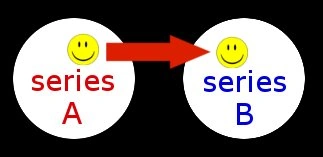
For the image link, it takes the Type parameter, pereceded by "Type ", and followed by " Link", and use it to indicate the name of the page corresponding to the description of that type of link, so by typing 1, the link parameter will be set to "Type 1 link", so clicking on the image will send to Type 1 link.
For the image caption, shown on mouseover, it uses the same parameters to find the relative caption template, so by typing "out" as the direction, and "1" as the type, it will find Template:Caption1out, and will insert as parameters to that template, the two series' name, so it will read:
In-universe link: Elements from SeriesA exist within SeriesB
The second part,
{{ {{{Type}}} | {{{SeriesA}}} }} {{ {{{Direction}}} }} {{ {{{Type}}} | {{{SeriesB}}} }}
Is used to show the series' names with the arrow between them. It Takes the SeriesA parameter and applies to it the link type template corresponding the the Type value, so if it's "1", it will use Template:1, and show
SeriesA
It then shows the direction template corresponding to the Direction value, so if it's "out", it will use Template:out, and show:
Finally it once again uses the type template, but applied to the second series.